
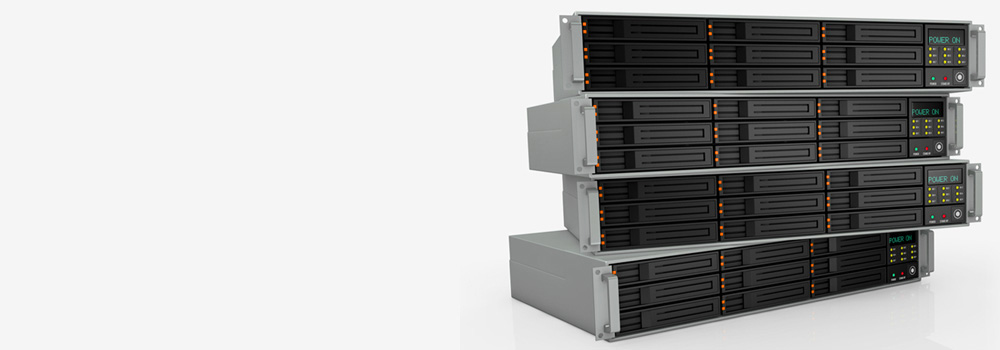

At Exeter Data Recovery, we provide advanced RAID 0 data recovery services for every type of environment — from home users to global enterprises. Our engineers have 25+ years of experience dealing with RAID 0 system failures, including improperly rebuilt arrays, controller failures, and corrupted file systems. We support systems ranging from 2-disk RAID 0 arrays to complex 64-drive configurations, across software, hardware, and hybrid environments.
Top 15 Best-Selling NAS External Drive Brands in the UK and Popular Models
We support all major NAS brands and popular models used in RAID 0 configurations:
- Synology – DS220+, DS920+, DS1522+
- QNAP – TS-451D2, TS-873A, TS-264
- Western Digital (WD) – My Cloud EX2 Ultra, My Cloud Pro PR4100
- Seagate – IronWolf NAS, Seagate NAS Pro STCM4000200
- Buffalo Technology – TeraStation 5410DN, LinkStation 220
- Netgear – ReadyNAS RN214, RN524X
- LaCie (A Seagate Company) – 2big RAID, 6big Thunderbolt 3
- Drobo – 5N2, 8D
- ASUSTOR – AS6604T, Lockerstor 4 Gen2
- Lenovo/Iomega – ix4-300d, EZ Media & Backup Center
- Promise Technology – Pegasus32 R4, VTrak A-Class
- TerraMaster – F2-221, F4-423
- Thecus – N5550, N7770
- Intel – SS4200-E, NAS Performance Series
- D-Link – ShareCenter DNS-320L, DNS-340L
Top 15 Best-Selling Rack-Mounted RAID 0 Server Brands and Popular Models
We recover data from all major enterprise RAID systems, including:
- Dell EMC – PowerEdge R740xd, R730
- HPE (Hewlett Packard Enterprise) – ProLiant DL380 Gen10, DL360 Gen9
- Lenovo – ThinkSystem SR650, SR630
- IBM – System x3650 M4, Storwize V7000
- NetApp – FAS2720, AFF A250
- Supermicro – SuperServer 6029U, 1029P
- Cisco – UCS C220 M6, C240 M5
- Fujitsu – PRIMERGY RX2540 M5
- QNAP Enterprise – TS-h1886XU-RP, TS-EC2480U
- Synology Enterprise – RS4021xs+, SA3400
- Promise Technology – VTrak J5000, Vess R3600
- ASUS – RS700A-E11, ESC4000 G4
- Areca – ARC-8050T3U, ARC-1883ix
- Adaptec by Microchip – RAID 71605Q, SmartRAID 3162
- Thecus Enterprise – N12000PRO, N10850
Top 20 RAID Errors We Recover Data From – Technical Explanation and Recovery Process
- Incorrect Drive Reordering
Cause: Drives inserted into different slots.
Recovery: Virtual RAID reassembly by testing disk order permutations. Validated through file system integrity checks. - Accidental RAID Rebuild
Cause: Rebuild triggered with incorrect disk data.
Recovery: Sector analysis to identify overwritten areas; partial image reconstruction and pattern-based reassembly. - RAID Controller Failure
Cause: Physical or firmware failure on controller.
Recovery: Bypass controller; emulate RAID in software using disk metadata and manufacturer-specific layouts. - Multiple Disk Failure in RAID 0
Cause: Concurrent failure of 2+ disks.
Recovery: Clone all disks, extract partial data where possible; use file carving where striping allows. - Logical Partition Corruption
Cause: File system damage due to power loss or OS crash.
Recovery: Partition table reconstruction and repair of boot sector or volume headers. - Deleted RAID Configuration
Cause: RAID configuration wiped/reset.
Recovery: Signature-based RAID structure discovery; analysis of stripe size, block order, and offset. - Unrecognised RAID Volume
Cause: File system lost or RAID not detected.
Recovery: Disk imaging, RAID signature parsing, and file system signature detection for virtual mount. - RAID Metadata Corruption
Cause: Damaged RAID configuration sectors.
Recovery: Hex-level inspection of metadata blocks; rebuild using known vendor RAID layout. - Bad Sectors Across Disks
Cause: Sector degradation due to age or heavy use.
Recovery: Hardware-based imaging with bad sector retry; clone first, then rebuild RAID. - Firmware Bugs (Controller or Disk)
Cause: Known bugs in RAID firmware causing instability.
Recovery: Stabilise system; bypass firmware layer; image disks; rebuild array virtually. - File System Corruption (NTFS, EXT4, XFS)
Cause: Unclean shutdowns or rebuilds.
Recovery: Logical scan of stripe image; reconstruct MFT or inode tables; mount in read-only forensic mode. - RAID 0 Volume Shows as RAW
Cause: Missing partition signature.
Recovery: Search for lost partition entries; restore file system boot sector. - Accidental RAID Format
Cause: Format operation on RAID volume.
Recovery: Metadata carving and file recovery through deep sector scan. - RAID Not Mounting in OS
Cause: System-level issues or file system errors.
Recovery: Mount virtual RAID image in safe recovery environment; repair volume headers. - Incorrect Stripe Size or Offset
Cause: Misconfiguration during rebuild.
Recovery: Trial-and-error reconstruction with stripe size variants until valid file system is located. - Damaged or Missing RAID Header
Cause: Controller failure or improper shutdown.
Recovery: Recreate RAID header manually using vendor RAID layout specs. - RAID BIOS Error Messages
Cause: Controller unable to mount or initialise RAID.
Recovery: Bypass BIOS; image disks directly; rebuild RAID virtually. - Drive Not Initialised or Recognised
Cause: Hardware issue, port failure, or firmware lock.
Recovery: Recover from cloned image; repair firmware if necessary. - Data Overwritten by Reinitialisation
Cause: New RAID initialised over old structure.
Recovery: File carving of unallocated areas; recover original files not yet overwritten. - Unstable or Degraded Array
Cause: Inconsistent I/O or drive errors.
Recovery: Clone each disk to stable media; build degraded virtual array; extract as much data as possible.
Top 10 Common Problems with RAID 0 Virtual Systems
- No Redundancy – Single Disk Failure Equals Full Data Loss
- Striping Issues During Virtual Reassembly
- Incorrect Emulation of Stripe Size in Software Recovery Tools
- RAID Header Not Stored on Disk in Software-Based Arrays
- Boot Sector Misalignment in Virtual RAID Images
- Inaccurate Disk Order Reconstruction
- Corrupted MFT on Reassembled Volumes
- Issues with Cross-Platform Arrays (e.g. Linux MDADM vs Windows Storage Spaces)
- Controller-Specific RAID Format Misinterpretation
- Lack of Backup or RAID Snapshots in Virtual Environments
Supported Systems and RAID Platforms
- Software RAIDs: Windows Dynamic Disk, Linux MDADM, Apple RAID
- Hardware RAIDs: Adaptec, LSI, Areca, HP Smart Array, Dell PERC
- NAS & SAN Platforms: Synology, QNAP, NetApp, WD, Seagate, Drobo
- Enterprise Storage: Dell EMC, HPE, IBM, Cisco, Lenovo, Supermicro
- File Systems: NTFS, ReFS, HFS+, APFS, EXT3/4, XFS, BTRFS, ZFS
Why Choose Exeter Data Recovery for RAID 0 Data Recovery?
- 25+ years of RAID experience with thousands of successful recoveries
- Capable of handling 2-disk to 64-disk arrays
- Skilled in rebuilding complex virtual and hardware RAID systems
- Forensic-grade tools and ISO-certified procedures
- Support for all major NAS, server, and RAID controller brands
- Secure, GDPR-compliant recovery for sensitive business data
- Free diagnostics and fast response time for critical failures
Contact Exeter Data Recovery Today
If your RAID 0 system has failed — whether due to user error, controller failure, or physical disk damage — our RAID specialists can help. We are experts in RAID 0 data recovery and offer free diagnostics to assess your situation. Let our engineers rebuild your array safely and extract your critical data with precision.
📞 Freephone: 0800 689 0668
📍 Based in Exeter – Serving Devon and Nationwide