
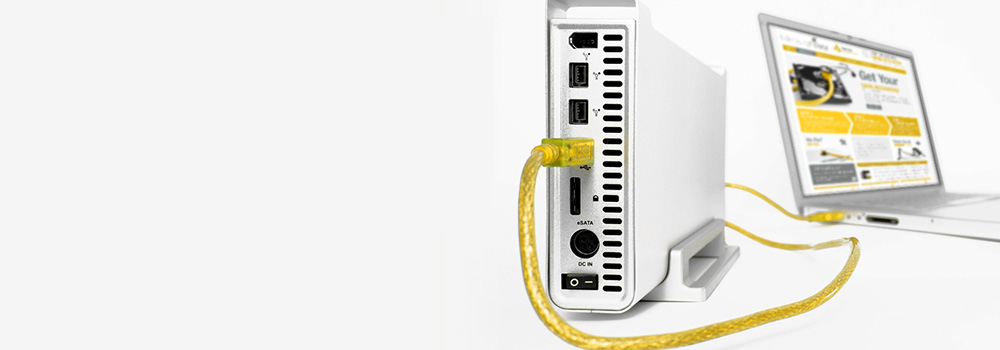







With over 25 years of dedicated experience in professional data recovery, Exeter Data Recovery is the leading name for external hard disk data recovery across Devon. We specialise in retrieving lost data from all types of D-Link external and NAS hard drives, including multi-drive RAID arrays and encrypted volumes. Whether your drive has suffered mechanical damage, file system corruption, or simply isn’t recognised by your system, our engineers use industry-leading techniques to safely restore your critical data.
Top 10 D-Link External & NAS Drive Models We Recover From
We support all models across D-Link’s storage portfolio, including their most popular devices such as:
- D-Link DNS-320L ShareCenter
- D-Link DNS-340L ShareCenter +
- D-Link DNS-327L Cloud NAS
- D-Link DNS-325 2-Bay ShareCenter
- D-Link DNS-343 4-Bay NAS
- D-Link DNS-320 2-Bay Network Storage Enclosure
- D-Link DNR-202L mydlink Video Recorder
- D-Link DNS-1100-04 ShareCenter Pro
- D-Link DNS-1200-05 5-Bay Unified Storage
- D-Link DNR-326 Professional Surveillance NAS
Our team handles both consumer-grade and enterprise-grade D-Link systems, whether USB-attached, eSATA-based, or network-mounted.
Supported Interfaces
We support data recovery from D-Link drives using the following connection types:
- SATA (Serial ATA)
- PATA / IDE (Parallel ATA)
- NVMe (Non-Volatile Memory Express)
- SCSI (Small Computer System Interface)
- SAS (Serial Attached SCSI)
- PCIe (Peripheral Component Interconnect Express)
- M.2 and U.2 Interface Drives
- eSATA (External SATA)
- USB 3.0 / USB 2.0
- USB-C and FireWire
Common D-Link External and NAS Recovery Faults – Top 30 with Technical Details
Below are the 30 most common D-Link drive failures we recover from, along with technical explanations and how we professionally retrieve data in each case:
1. Mechanical Failure
Symptoms: Clicking, buzzing or no spinning
Recovery: Head assembly replacement, spindle motor realignment, donor part integration
2. Bad Sectors
Symptoms: Freezing during access, slow performance
Recovery: Sector-by-sector imaging using controlled retry algorithms and block remapping
3. Firmware Corruption
Symptoms: Drive not recognised, wrong model number shown
Recovery: Firmware module repair using vendor tools to reload or patch SA (System Area)
4. Logical Corruption
Symptoms: Folder names missing, corrupted file structures
Recovery: File system reconstruction (e.g., EXT4, NTFS, HFS+), metadata recovery and volume mounting
5. PCB (Printed Circuit Board) Failure
Symptoms: No power, visible burns on PCB
Recovery: PCB replacement and micro-soldering, including ROM/NVRAM chip transfer for calibration data
6. Accidental File Deletion
Symptoms: Data removed from drive, recycle bin bypassed
Recovery: Logical scan of unallocated clusters, deep metadata inspection and data carving
7. Drive Not Recognised by BIOS or OS
Symptoms: Drive not showing in File Explorer or Disk Management
Recovery: Interface repair, firmware rebuild, and testing of preamp circuitry
8. Power Surges or Electrical Failure
Symptoms: Drive won’t power on, visible burn marks
Recovery: Component-level PCB repair, fuse replacement and power regulator diagnostics
9. Head Crash
Symptoms: Grinding noise, catastrophic data loss
Recovery: Head replacement, imaging of undamaged platter areas
10. Platter Damage
Symptoms: Drive spinning but unreadable, grinding sound
Recovery: Non-contact imaging of readable regions, partial recovery depending on platter surface condition
11. SSD Controller Failure
Symptoms: SSD not mounting or reporting wrong size
Recovery: Controller chip replacement, NAND chip isolation, and data reconstruction
12. NAND Flash Wear / SSD Degradation
Symptoms: Drive in read-only mode, slow response
Recovery: Direct NAND extraction, ECC correction, and logical rebuild of file structure
13. Accidental Formatting / Initialisation
Symptoms: Files lost after format prompt accepted
Recovery: Partition table reconstruction and advanced undelete algorithms
14. Overheating
Symptoms: Drive shuts down intermittently
Recovery: Drive cooled and stabilised; critical sectors prioritised for imaging
15. Encrypted Drive Failures
Symptoms: Login prompt inaccessible or failed authentication
Recovery: Decryption using key recovery (where available) or forensic decryption tools
16. NAS RAID Configuration Corruption
Symptoms: RAID array offline or degraded
Recovery: Manual RAID reconstruction (RAID 0/1/5/6/JBOD), logical volume repair
17. NAS Volume Not Mounting
Symptoms: Shares unavailable, error mounting EXT/XFS/BTRFS
Recovery: Mount recovery, volume bitmap rebuild, and LVM mapping
18. RAID Controller Failure
Symptoms: NAS shows all drives failed
Recovery: Disk-by-disk cloning and virtual RAID reassembly
19. NAS Firmware Update Failure
Symptoms: Drive failed after update
Recovery: Raw image recovery and firmware roll-back for volume access
20. Deleted Shares or Volumes
Symptoms: Entire folders or shares missing
Recovery: Volume scan and undelete of superblock entries and file tables
21. Stiction (Stuck Heads)
Symptoms: Drive does not spin, buzzing noise
Recovery: Mechanical head release using platter stabilisation tools
22. SMR Drive Write Performance Issues
Symptoms: Long delays, data inconsistency
Recovery: Zoned block handling using SMR-aware recovery tools
23. Corrupted RAID Metadata
Symptoms: RAID configuration mismatch
Recovery: Manual extraction of RAID parameters and XML/NVRAM correction
24. Defective Sector Remapping
Symptoms: Inconsistent file behaviour
Recovery: Advanced disk imaging with remapping disabled to capture raw sectors
25. Deleted NAS User Accounts or Permissions
Symptoms: Files appear restricted or missing
Recovery: Permission database recovery and direct file access from root
26. USB Bridge Board Failure in External Drives
Symptoms: Power on but no detection
Recovery: Bypass bridge circuitry and connect directly via SATA interface
27. Silent Firmware Lock
Symptoms: Drive detected with 0 bytes capacity
Recovery: Unlocking service area access and repairing firmware microcode
28. Dropped External Drives
Symptoms: Physical damage or impact
Recovery: Mechanical diagnostics followed by recovery if internal parts damaged
29. Overwritten File Structures
Symptoms: Partition reused
Recovery: Deep scan for residual data blocks and recovery from slack space
30. Uninitialised or Raw Drive States
Symptoms: OS prompts to initialise disk
Recovery: Partition type scan, header rebuild and superblock reconstruction
Why Choose Exeter Data Recovery?
- ✅ 25+ Years’ Expertise in External and NAS Recovery
- 🔍 Logical, Firmware & Physical Recovery Methods
- 📦 Support for All D-Link Devices & Interfaces
- 🧠 Specialist RAID & NAS Volume Reconstruction
- 🆓 Free Diagnostic Assessment with No Obligation
What to Do if Your D-Link External or NAS Drive Fails
If you suspect data loss from your external or NAS drive:
- Stop using the drive immediately to prevent further damage
- Avoid reinitialising or reformatting when prompted
- Do not open the drive casing – this may void chances of recovery
- Contact Exeter Data Recovery for a free diagnostic and expert guidance