
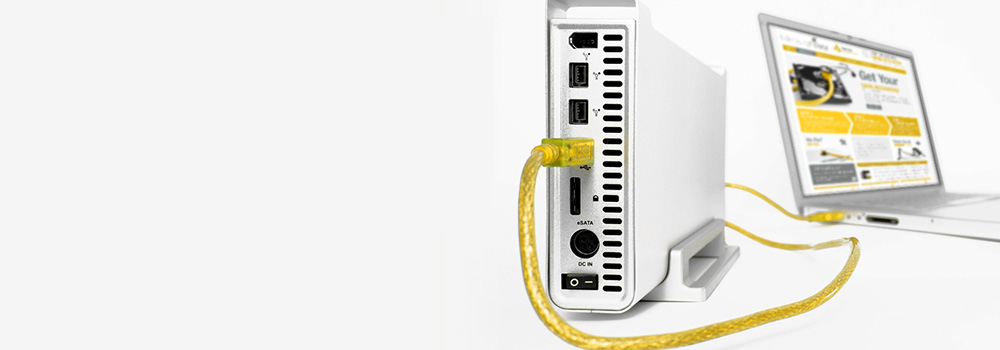







With over 25 years of experience, Exeter Data Recovery is the leading provider of professional Buffalo External Hard Drive Data Recovery Services in Devon. We specialise in recovering data from all Buffalo external USB drives and NAS (Network Attached Storage) systems, including RAID-configured multi-drive units. Whether your device is experiencing physical damage, firmware corruption, logical errors, or electrical failure, our engineers apply industry-standard, non-destructive methods to recover data quickly, securely, and reliably.
Top 10 Best-Selling Buffalo External and NAS Hard Drive Models We Recover From
We provide full data recovery services for all Buffalo drive models, including:
- Buffalo LinkStation LS220D Series (2-Bay NAS)
- Buffalo TeraStation 5410DN
- Buffalo MiniStation Extreme NFC
- Buffalo LinkStation LS520D Series
- Buffalo DriveStation Axis Velocity
- Buffalo TeraStation TS3210DN
- Buffalo MiniStation Thunderbolt SSD
- Buffalo DriveStation Duo
- Buffalo TeraStation WS5220DN Windows Server NAS
- Buffalo LinkStation 210 Series
We support both consumer-grade and enterprise-class models across all generations.
Supported Buffalo External Hard Drive Interfaces
We recover data from any Buffalo external hard drive using the following interfaces:
- SATA (Serial ATA)
- PATA / IDE (Parallel ATA)
- NVMe (Non-Volatile Memory Express)
- SCSI (Small Computer System Interface)
- SAS (Serial Attached SCSI)
- PCIe (Peripheral Component Interconnect Express)
- M.2 and U.2 Interfaces
- eSATA (External SATA)
- USB 3.0, USB 2.0, and USB-C
- FireWire (400/800)
Buffalo External and NAS Drive Faults – Technical Recovery Overview
Below is a comprehensive list of common data recovery faults encountered in Buffalo external and NAS hard drives, along with professional data recovery methods used to retrieve lost or inaccessible data:
1. Mechanical Failure
Symptoms: Clicking sounds, no spin-up, buzzing
Method: Disassembly, donor head swap, platter alignment
2. Bad Sectors
Symptoms: Slow response, incomplete file access, freezing
Method: Sector-by-sector imaging using multi-pass data extraction tools (e.g., DeepSpar)
3. Firmware Corruption
Symptoms: Drive recognised incorrectly, fails to initialise
Method: Firmware module repair using manufacturer-specific utilities
4. Logical Corruption
Symptoms: File system errors, missing folders, unrecognised partitions
Method: Metadata analysis, volume reconstruction, raw file carving
5. PCB (Printed Circuit Board) Failure
Symptoms: No power, short circuits, burnt components
Method: Circuit repair or PCB replacement with ROM transfer for calibration data
6. Accidental File Deletion
Symptoms: Files missing, system operates normally
Method: Cluster recovery from unallocated sectors using file system signature analysis
7. Drive Not Recognised by BIOS/System
Symptoms: Device not detected by the OS or NAS interface
Method: Interface repair, firmware analysis, physical disk access bypassing controller
8. Power Surges or Electrical Failure
Symptoms: Drive won’t power on, visible burn marks
Method: Micro-soldering component replacement, power circuit board rework
9. Head Crash
Symptoms: Loud grinding noise, severe unreadable sectors
Method: Replacement of head assembly and controlled platter imaging
10. Platter Damage
Symptoms: Unreadable disk, deep scratching noise
Method: Partial recovery from undamaged platter areas using low-level imaging
11. SSD Controller Failure
Symptoms: Drive not accessible, false capacity readings
Method: Controller diagnostics, direct NAND chip access and dump
12. NAND Flash Wear (SSD Degradation)
Symptoms: Read-only mode, file access errors
Method: ECC repair, firmware-level mapping of degraded blocks, logical reconstruction
13. Accidental Formatting or Initialisation
Symptoms: Drive shows blank or system prompts to format
Method: Partition table rebuild, raw file system recovery, superblock restoration
14. Overheating
Symptoms: Drive shuts down intermittently or becomes unresponsive
Method: Temperature-controlled imaging, sector prioritisation during recovery
15. Encrypted Drive Failures
Symptoms: Files not accessible without key/password
Method: Recovery using known keys, volume image decryption, and secure mount procedures
16. Deleted NAS Shares or Volumes
Symptoms: Shared folders missing from network
Method: LVM repair, EXT/XFS volume scan and metadata recovery
17. NAS RAID Degradation or Failure
Symptoms: RAID array offline, disks show mismatched states
Method: Manual RAID reconstruction using disk images, parity verification, and virtual rebuild
18. Damaged USB Interface Boards
Symptoms: Lights on but drive undetected
Method: SATA bridge bypass or interface board replacement with matching circuitry
19. File System Incompatibility
Symptoms: Drive not accessible across different OS platforms
Method: File system type detection and cross-platform data extraction
20. Incomplete Firmware Update on NAS
Symptoms: Device fails to boot, web UI inaccessible
Method: Firmware rollback, disk imaging, and configuration reassembly
Supported File Systems and Operating Environments
We support recovery from Buffalo systems using:
- EXT3 / EXT4 / XFS (Linux-based NAS)
- NTFS, FAT32, exFAT (External USB drives)
- BTRFS (TeraStation 5000 series)
- ReFS (Windows Server NAS variants)
- BitLocker Encrypted Volumes (with key)
- RAID 0 / 1 / 5 / 10 / JBOD arrays
Why Choose Exeter Data Recovery for Buffalo NAS and External Drives?
- 🧠 25+ Years of Professional Data Recovery Experience
- 🧰 Advanced Imaging and RAID Reconstruction Tools
- 🆓 Free Diagnostic Assessment – No Commitment Required
- 📍 Devon-Based, Serving Individuals and Businesses Across the UK
What to Do If Your Buffalo Drive Has Failed
- Turn off the device immediately – further use can cause irreversible damage
- Do not attempt RAID rebuilds or formatting without professional guidance
- Avoid running repair tools like CHKDSK or FSCK
- Contact Exeter Data Recovery for a complimentary diagnostic and recovery consultation