







Devon’s No.1 External Hard Drive Recovery Specialists – Trusted for Over 25 Years
At Exeter Data Recovery, we provide industry-leading external hard disk data recovery services for individuals, businesses, and public sector clients across the UK. With 25 years of hands-on experience, we have successfully recovered data from thousands of failed, corrupted, or physically damaged external hard drives.
Our highly skilled engineers specialise in recovering data from all drive interfaces, brands, and storage technologies—whether it’s a mechanical HDD or an advanced external SSD. From firmware corruption to severe head crashes, we offer tailored solutions for every failure scenario.
Top External Hard Drive Brands and Best-Selling Models (UK)
We recover data from all major external storage manufacturers, including the most popular models sold in the UK:
1. Western Digital (WD)
- Top Models: WD My Passport, WD Elements, WD My Book, WD Black P10
2. Seagate
- Top Models: Seagate Backup Plus, Seagate Expansion, One Touch, Game Drive
3. Toshiba
- Top Models: Toshiba Canvio Basics, Canvio Advance, Canvio Gaming
4. Samsung
- Top Models: Samsung T7 Portable SSD, Samsung X5, T5 SSD
5. SanDisk
- Top Models: SanDisk Extreme Portable SSD, Extreme Pro SSD
6. ADATA
- Top Models: ADATA HD710, SD600Q, SE800
7. Kingston
- Top Models: Kingston XS2000, HyperX Savage, KC600 SSD
8. Crucial (Micron)
- Top Models: Crucial X6, Crucial X8
9. Hitachi (HGST)
- Top Models: Touro Mobile, Touro Desk Pro
10. Intel
- Top Models: Intel SSD D3-S4510, Intel SSD 660p Series
11. Sabrent
- Top Models: Rocket XTRM-Q, Rocket Nano, EC-SSD2
12. Corsair
- Top Models: Corsair EX100U, Voyager GTX, MP600 SSD
13. PNY
- Top Models: PNY Elite SSD, Pro Elite Portable SSD
14. TeamGroup
- Top Models: T-Force PD1000, PD400
15. Verbatim, Integral, Angelbird, Greenliant
- Various consumer and professional-grade portable drives
Interfaces Supported
We offer recovery from all major external hard drive interfaces, including:
- SATA (Serial ATA)
- PATA (IDE)
- NVMe (Non-Volatile Memory Express)
- SAS (Serial Attached SCSI)
- SCSI (Small Computer System Interface)
- M.2 and U.2 Interfaces
- PCIe (Peripheral Component Interconnect Express)
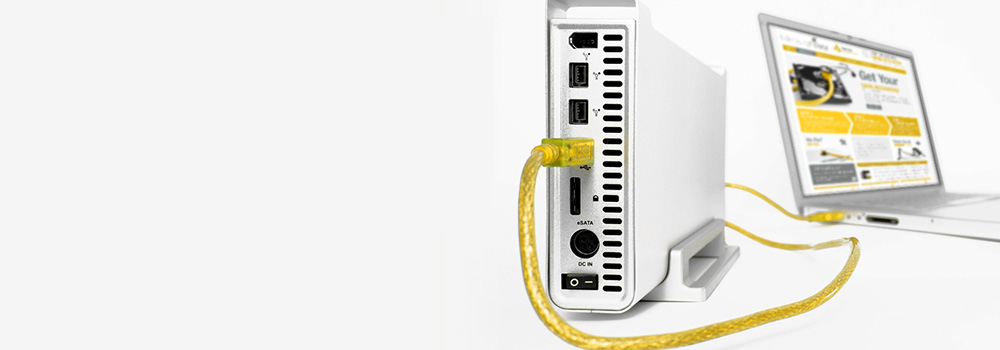
- eSATA (External SATA)
- USB 2.0, USB 3.0, USB 3.2
- USB-C
- FireWire (IEEE 1394)
30 Common External Hard Disk Data Recovery Faults – With Technical Solutions
1. Mechanical Failure
- Cause: Damaged read/write heads or motor failure.
- Recovery: Head stack replacement; platter stabilisation; data imaged to new media.
2. Firmware Corruption
- Cause: Faulty firmware modules on drive PCB.
- Recovery: Firmware modules extracted, repaired or emulated for secure disk access.
3. Logical Corruption
- Cause: File system damage or metadata loss.
- Recovery: File structure rebuilt from raw sector data; partition tables manually reconstructed.
4. Bad Sectors
- Cause: Media degradation.
- Recovery: Sector-by-sector imaging using controlled error-handling protocols; unreadable sectors bypassed.
5. PCB Failure
- Cause: Burnt or shorted components on the controller board.
- Recovery: PCB replaced with identical unit; firmware and ROM chips swapped to restore original configuration.
6. Accidental File Deletion
- Cause: User error or malware activity.
- Recovery: File carving and signature analysis on unallocated space to recover deleted files.
7. Accidental Formatting
- Cause: Disk formatted without backup.
- Recovery: File system and directory reconstruction using deep scan tools; non-overwritten data recovered.
8. Drive Not Recognised
- Cause: Interface or firmware malfunction.
- Recovery: Manual access via disk-imaging tools or chip-level recovery techniques.
9. Power Surge Damage
- Cause: Sudden voltage spike damages electronics.
- Recovery: Damaged board components replaced; voltage regulators tested and reprogrammed.
10. Head Crash
- Cause: Read/write heads contact platter surface.
- Recovery: Damaged heads replaced; imaging from stable areas of platter.
11. Platter Damage
- Cause: Severe impact or mechanical fault.
- Recovery: Partial recovery from undamaged regions using adaptive sector extraction.
12. SSD Controller Failure
- Cause: Fault in flash controller IC.
- Recovery: Controller analysis or replacement; chip-off recovery where necessary.
13. NAND Wear (SSD Degradation)
- Cause: Repeated writes cause memory cell degradation.
- Recovery: Direct memory extraction and ECC-based file reconstruction.
14. Drive Freezing or Locking
- Cause: Firmware bug or temperature throttling.
- Recovery: Low-level diagnostic tools used to reset firmware and enable safe access.
15. Partition Table Corruption
- Cause: OS or boot sector overwrite.
- Recovery: Table rebuilt using LBA markers and volume signature detection.
16. Encrypted Drive Failures
- Cause: Software-based or hardware-based encryption prevents access.
- Recovery: Decryption attempted via original credentials or forensic brute-force if viable.
17. USB Bridge Chip Failure
- Cause: Fault in USB-to-SATA bridge on external enclosures.
- Recovery: Drive removed from enclosure and interfaced directly.
18. Overheating
- Cause: Poor ventilation or excessive usage.
- Recovery: Temperature stabilisation and cold imaging to recover data before permanent damage occurs.
19. File System Incompatibility
- Cause: Formatted in non-standard systems (e.g., camera or Linux FS).
- Recovery: Volume mounted using matching file system drivers for safe extraction.
20. Corrupted Boot Sector
- Cause: Virus attack or system crash.
- Recovery: Boot sector rebuilt and MBR/EFI entries repaired manually.
21. Firmware Lock or Password Protection
- Cause: User-set or vendor lock on drive.
- Recovery: Unlocking attempted using vendor-specific unlock commands or forensic pass-through methods.
22. Clicking Noise
- Cause: Misaligned heads or damaged actuator arm.
- Recovery: Repaired; imaged at lowest possible read speeds.
23. Grinding or Beeping Sound
- Cause: Motor seizure or severe mechanical fault.
- Recovery: Drive disassembled for motor swap or platter transfer (when viable).
24. Slow Read/Write Speed
- Cause: Pending sector reallocation or bad block accumulation.
- Recovery: Imaging performed with adjusted read timeouts and error handling.
25. Bridge Enclosure Encryption
- Cause: External drive includes hardware encryption chip.
- Recovery: Original enclosure must be used for access, or encryption chip is emulated.
26. Initialisation Errors
- Cause: Drive prompts for format upon connection.
- Recovery: Volume information restored by reindexing file system headers.
27. Stuck Heads
- Cause: Read/write heads stuck on platter due to sudden stop.
- Recovery: Heads manually repositioned under microscope; drive imaged.
28. Drive Becomes RAW
- Cause: File system not recognised by OS.
- Recovery: Partition type corrected; files extracted using raw sector recovery.
29. Electronic Short Circuit
- Cause: Liquid exposure or faulty power supply.
- Recovery: Board components replaced or bypassed; power safely reintroduced.
30. Damaged USB/Power Ports
- Cause: Physical strain or broken connectors.
- Recovery: Interface repaired, or drive removed and connected via direct interface.
Why Choose Exeter Data Recovery for External Drives?
- 25+ Years of Technical Expertise
- Specialist Tools for All HDD & SSD Interfaces
- Support for Consumer, Enterprise, and Encrypted Drives
- Free Diagnostic Service
- Trusted by IT Professionals, Government Bodies, and Corporates Across the UK
Contact Our External Hard Drive Recovery Experts
If your external hard drive has stopped working, is not being recognised, or has suffered physical or logical damage, do not open the enclosure or attempt data recovery software—this may worsen the situation.
Contact Exeter Data Recovery today for a free diagnostic assessment and expert technical support. Our engineers will evaluate your drive and provide the safest and most effective recovery plan.
Exeter Data Recovery – Devon’s No.1 External Hard Disk Recovery Specialists
Technically Sound. Professionally Delivered. Proven Results.