





Devon’s Leading PC and Computer Data Recovery Specialists with 25 Years of Proven Expertise
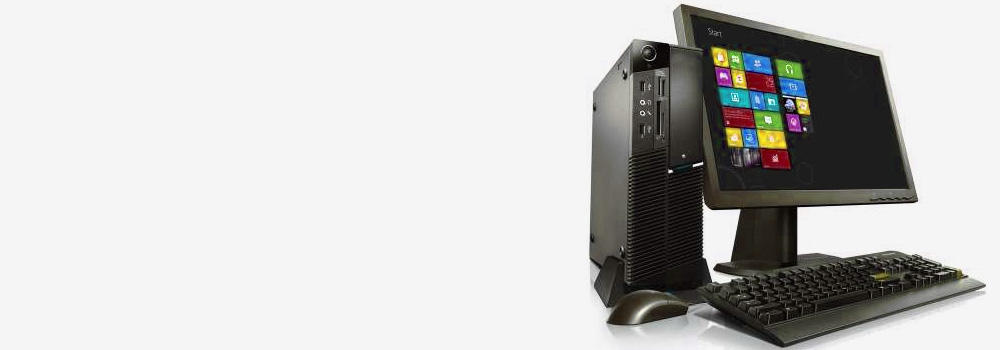
At Exeter Data Recovery, we provide advanced and professional data recovery for PC systems across all major desktop brands. With more than two decades of experience in recovering data from physical and logical failures, our expert engineers have successfully restored data from thousands of desktop PCs – from home-use towers to enterprise-grade workstations.
Whether your desktop computer has suffered accidental deletion, physical disk damage, or complex logical corruption, our in-house recovery team offers industry-grade diagnostics and results.
PC Data Recovery Services – Issues We Resolve
We recover lost or inaccessible data from a wide range of PC-related faults. Below is a breakdown of the most common desktop PC errors and a technical explanation of how we recover your data:
1. Accidental File Deletion
- Issue: User-initiated deletion of important files, bypassing the Recycle Bin.
- Recovery Process: Using sector-level scans, we identify file signatures and metadata remnants to reconstruct deleted files, even after emptying the Recycle Bin.
2. Accidental Formatting
- Issue: Format operation on a drive or partition containing critical data.
- Recovery Process: We perform raw data extraction by scanning for previous file system structures and file clusters before overwrites occur.
3. File System Corruption
- Issue: Corruption in NTFS, FAT32, exFAT, or ReFS prevents drive access.
- Recovery Process: We bypass the file system and extract data at the block level, rebuilding folder hierarchies using metadata remnants.
4. Physical Damage
- Issue: Damage to internal components due to shock, fall, or mechanical failure.
- Recovery Process: Damaged components such as heads or platters are temporarily repaired for safe data cloning.
5. Bad Sectors
- Issue: Data becomes unreadable due to media degradation.
- Recovery Process: Specialised imaging tools use retry protocols and read-time control to capture data from remaining stable sectors and reconstruct files.
6. Unrecognised Disks
- Issue: BIOS or OS fails to detect disk.
- Recovery Process: Interface boards are examined or replaced. Recovery is done via direct chip access or disk imaging.
7. Read/Write Errors
- Issue: File operations fail due to disk communication issues.
- Recovery Process: Disk is imaged using error-managed protocols. Data is extracted from readable segments and reconstructed manually where necessary.
8. Virus or Malware Infections
- Issue: File access blocked, data encrypted or deleted by malicious software.
- Recovery Process: We isolate non-infected blocks, scan for recoverable data signatures, and rebuild files using checksum and pattern analysis.
9. Transfer Interruptions
- Issue: Power loss or disconnection during data transfer causes file corruption.
- Recovery Process: We analyse file integrity and rebuild partially written files where possible using binary comparison and backup data fragments.
10. Controller Failures
- Issue: Damage to the drive’s PCB prevents access to stored data.
- Recovery Process: The board is replaced with an identical version, with adaptive data transferred to restore communication.
11. Water or Liquid Damage
- Issue: Corrosion or short-circuiting of components due to liquid exposure.
- Recovery Process: Drive is dismantled and decontaminated. Once safe, it is accessed in a controlled lab environment for data extraction.
12. Overheating
- Issue: Excessive heat leads to component failure or disk misalignment.
- Recovery Process: Hardware components are stabilised, and disks are imaged before further degradation.
13. Wear and Tear
- Issue: Mechanical degradation over time reduces drive performance.
- Recovery Process: Drives are imaged with sector-specific adjustments, and weak sectors are reconstructed using parity and redundancy where available.
14. Unsupported File Systems
- Issue: File system not recognised by the operating system due to format errors or cross-platform issues.
- Recovery Process: We simulate the original file system environment and access files directly via custom read methods.
15. Electrical Damage
- Issue: Power surges damage the controller, firmware, or circuitry.
- Recovery Process: Electrical diagnostics and board-level repairs are done to restore access. Firmware is restored using safe boot methods.
16. Partition Table Corruption
- Issue: Missing or corrupted partition tables result in unallocated space.
- Recovery Process: Partition structure is manually rebuilt using sector analysis and logical mapping.
17. Formatting in Unsupported Devices
- Issue: Drives formatted by incompatible systems become unreadable on PCs.
- Recovery Process: Previous file system is reconstructed, and data recovered through direct volume access.
18. Overwritten Data
- Issue: New files overwrite critical data segments.
- Recovery Process: Partial data is recovered from unallocated clusters and shadow copies where available.
19. Bent or Broken Pins (SATA/PATA Interface)
- Issue: Interface failure leads to communication errors.
- Recovery Process: Interface is repaired or replaced under a microscope. The disk is then safely imaged.
20. Manufacturing Defects
- Issue: Inherent faults in drives from factory cause premature failure.
- Recovery Process: Diagnostics are used to isolate faulty areas, followed by controlled data cloning and error correction.
Supported PC Brands and Models
We recover data from all major UK desktop PC brands, including:
- HP
- Lenovo
- Dell
- ASUS
- Acer
- MSI
- Razer
- Alienware
- Fujitsu
- Apple iMac
- Custom-built PCs and OEM desktop systems
Our recovery methods are compatible with consumer, business, gaming, and workstation-class PCs.
Top 30 Desktop PC Hard Drive Recovery Faults
Our engineers regularly resolve the top 30 hard disk-related failures found in desktop systems, ranging from firmware corruption and platter damage to volume loss and unreadable drives. Every recovery case is individually assessed and handled using tailored techniques for maximum data restoration.
Why Choose Exeter Data Recovery?
- 25 Years of Proven Expertise in Data Recovery for PC Systems
- Specialists in Logical, Electrical, and Physical Failures
- Custom Recovery Plans Based on Detailed Diagnostics
- Free No-Obligation Evaluation
- Trusted by Businesses, Institutions, and Individuals Nationwide
Contact Our PC Recovery Team Today
If your desktop computer has experienced data loss, power it down and contact us immediately. Avoid using recovery software, which may overwrite recoverable sectors.
Exeter Data Recovery offers free diagnostics and a structured recovery plan designed to retrieve your critical files safely and efficiently.
Exeter Data Recovery – Devon’s No.1 External PC Desktop Recovery Specialists
Technically Advanced. Professionally Delivered. Proven Results.